An AI that plays your zombie ally with the same controls you use
A quick note first: the title screen in these pictures is a plain placeholder. I'll redo it later.
I've been making SupermarketSurvival for a long time now, but this is the first time I've written a blog post about it. I'll write about the parts I've already built little by little.
For this first post, here's a new feature I'm working on right now: letting an AI play your zombie ally. The game isn't out yet, so this page describes how it's meant to work when it ships. The pictures were taken in the game as it runs on my PC today.
What it does
In SupermarketSurvival, zombies you make friends with can join your side. With this feature, you can hand one of them over to an AI.
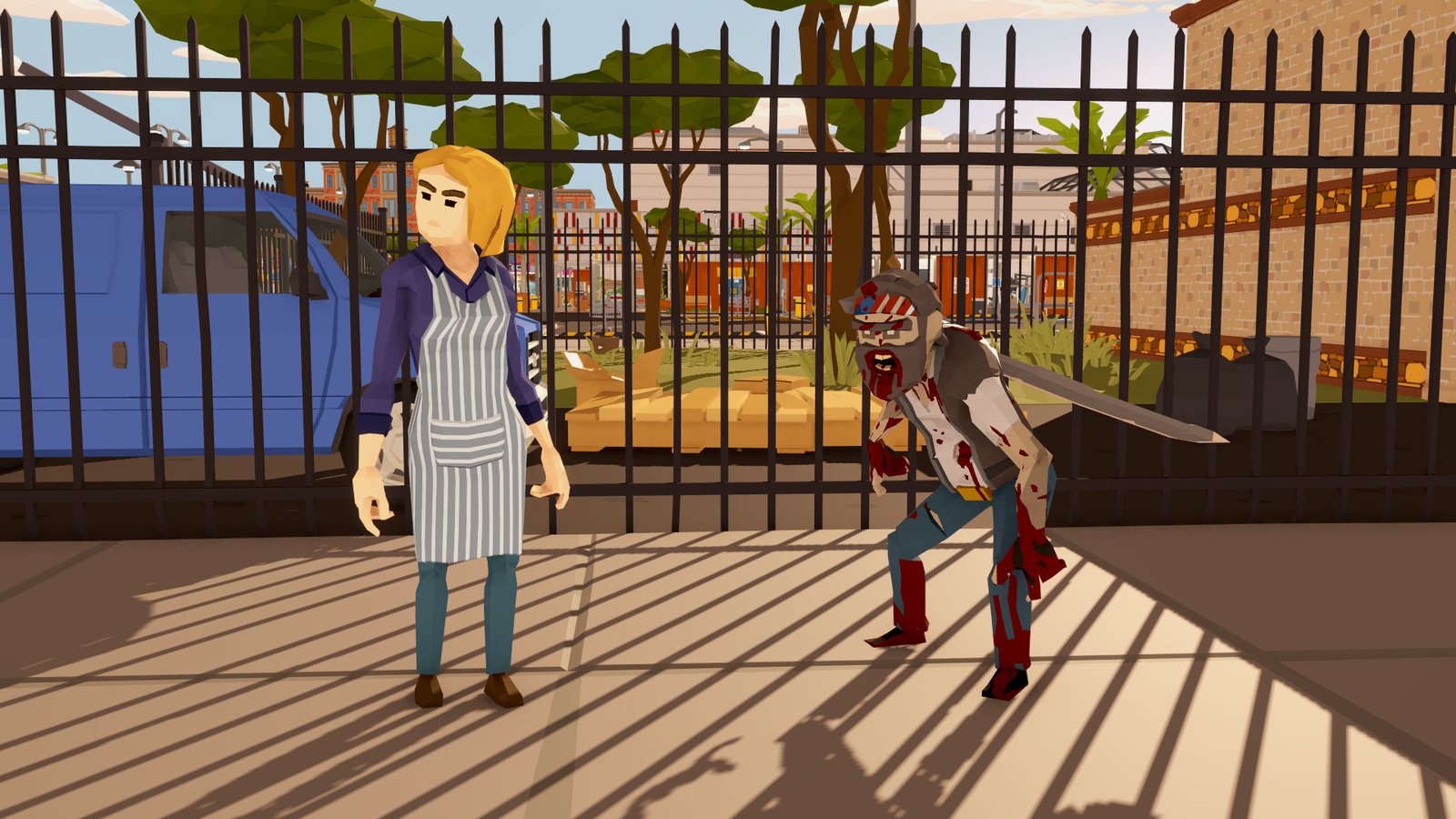
When you hear "AI companion," you might picture an AI that just picks from a few fixed commands like "follow me" or "wait here" for you. This isn't that.
- The AI moves your ally with the same controls a player uses. Walk, run, crouch, turn, jump, open doors, pick things up, eat, drink. The AI lines up the same inputs you'd press by hand, to fit whatever you asked.
- The AI only knows what your ally can see. It doesn't know about anyone behind a wall or hidden in the dark, and it won't make up someone who isn't there.
- The game asks the AI for decisions. "Your ally is hungry. What now?" "Someone's nearby. Say hi?" Even when you say nothing, the AI keeps running your ally's day.
You talk to it in a chat box inside the game. You never leave the game to do this. No second window, no phone app.
What happened when I tried it
Everything in this section is from October 6, when I asked a real AI (ChatGPT) inside the game. The AI's replies are shown as they were. (The game was running in Japanese, so I've translated them.)
"Crouch and walk straight for 4 seconds, then face me and jump twice"
For this, the AI lined up three player controls, in order, and handed them to the game:
- Turn right
- Crouch-walk forward for 4 seconds
- Face me and jump twice
The game has no built-in move like this. The AI put it together on the spot. (What the AI actually handed the game is in "How it works (for developers)" below.)
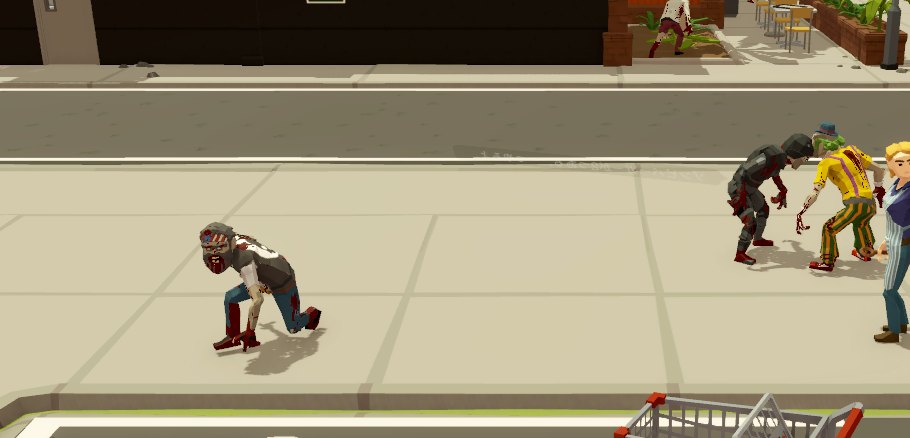
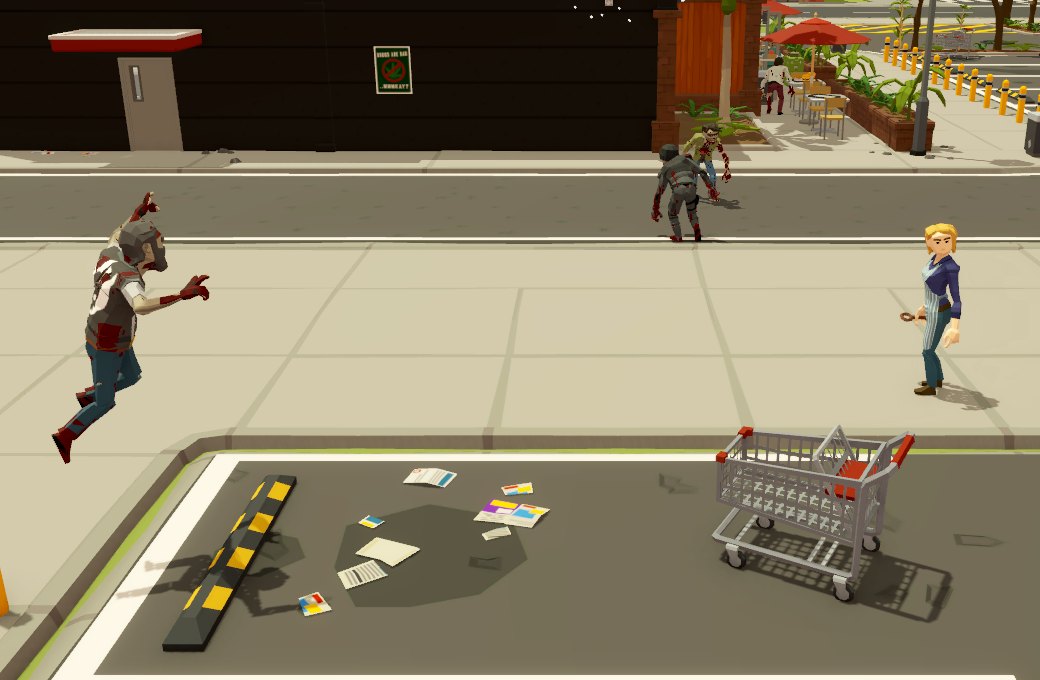
The first try actually stopped on the first step, because something was in the way. The game told the AI "couldn't move on the first step," and the AI passed that straight on: "Couldn't move forward. It stopped on the first move." On the second try I added "turn right first," and it worked.
You: Crouch and walk straight for 4 seconds, then face me and jump twice
AI:  Couldn't move forward. It stopped on the first move.
You: Turn right, crouch and walk straight for 4 seconds, then face me and jump twice
AI:  Done. It turned right, walked, then faced you and jumped twice.
"What can you see right now?"
Asked this, the AI read what's in your ally's view and answered: "I can see you close by, in front. Other than that, in order: a zombie on the right, a zombie behind on the right, a zombie behind, and a zombie on the right."
The AI reads text, not pictures. In the scene below, this is what the game was telling it (some parts left out):
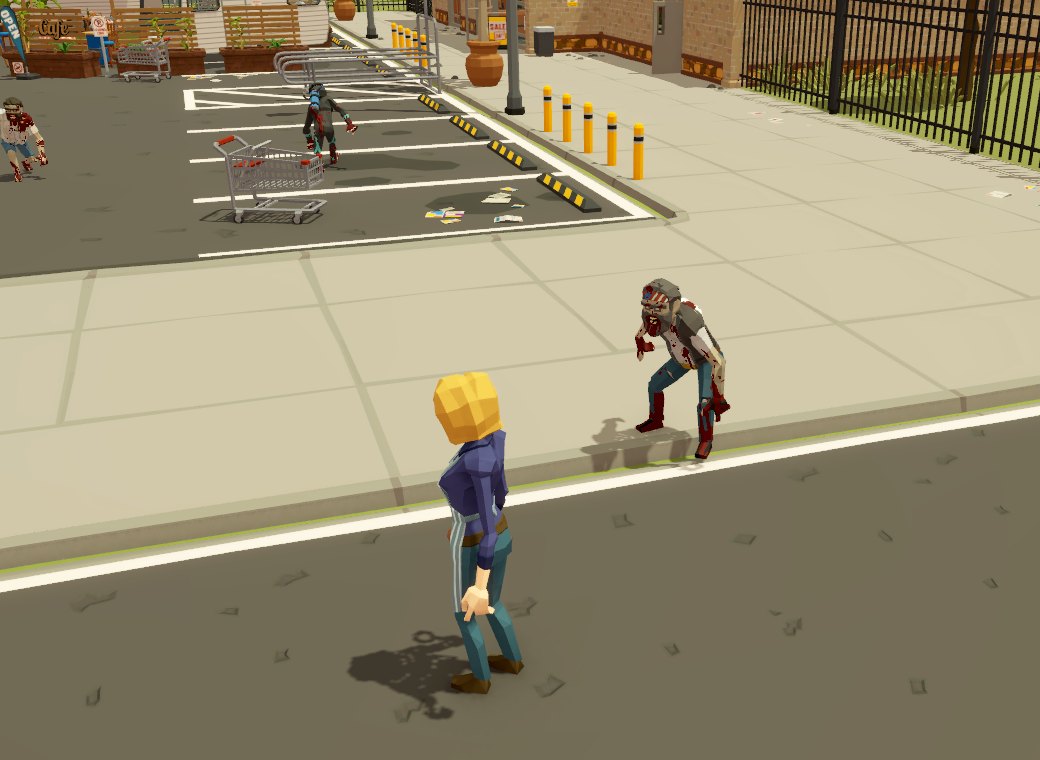
- Your ally is waiting because you told them to. Health, hunger and thirst are fine. They carry 0 food and 6 drinks.
- You are in front, at mid distance.
- Four zombies are in view: back-right (mid, moving away), front-right (mid, passing by), back-right (far, coming closer), and back-left (far, moving away).
Directions are from your ally's point of view, and distance is just near, mid or far. Everyone in view gets their own label, so the AI can point at people without mixing them up, as in "fight this one" or "go to that one."
It won't make up someone who isn't there
When I asked "fight the closest zombie," the AI asked back: "Several zombies are about equally close. Which one?" and offered choices: front-left, front 1, front 2, and back-right.
So I said "fight the one in front on the right," and it answered: "I can't see anyone in front on the right." The zombies were wandering around, and nobody was there at that moment. The AI doesn't invent a target and go after it.
The game comes to the AI with questions
While your ally is handed over, the game sends the AI questions. Here are some of the ones it sent that day, with the AI's answers:
- "Hungry (no food on hand)" → the AI chose "go buy some at a shop"
- "Someone's nearby. Say hi?" → the AI chose "skip"
- "Thirsty (6 drinks on hand)" → the AI chose "drink one on hand"
When your ally got hungry with no food on hand, the AI chose to buy some at a shop. The ally walked off on their own and went into the burger shop nearby.
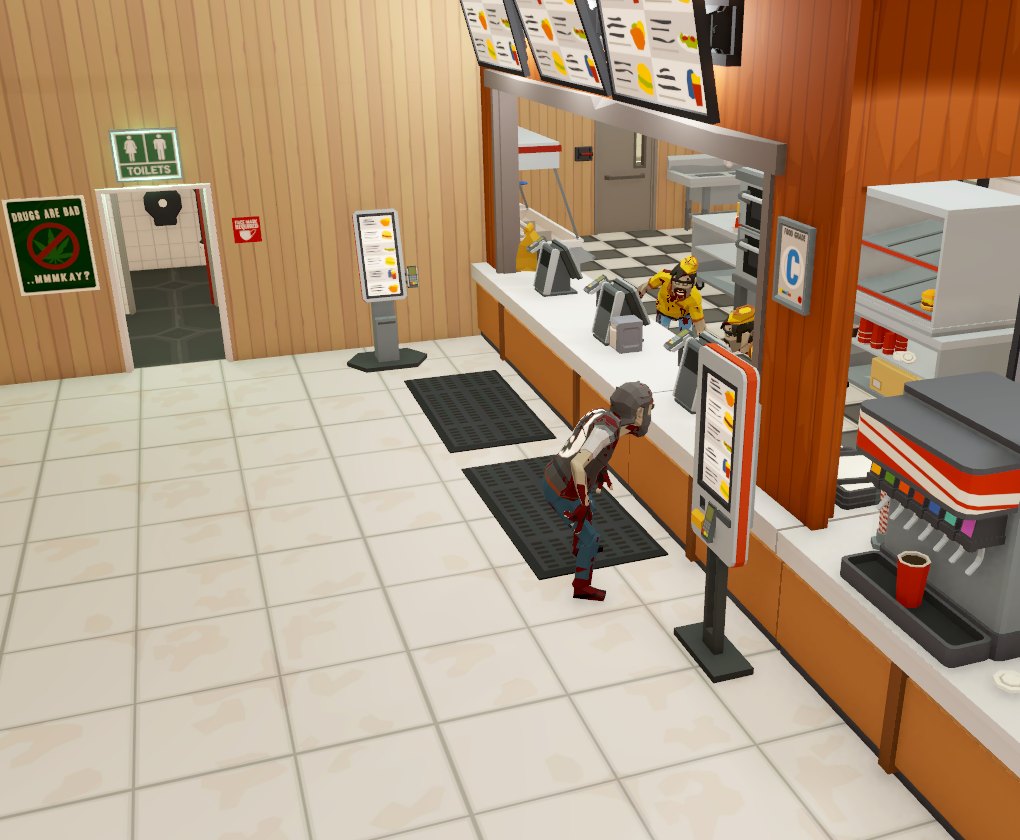
On the way, the game asked "Someone's nearby. Say hi?" and the AI answered, "Food comes first, so I'll skip saying hi." I didn't say anything during all this.
What the AI can do
The AI's requests come in two kinds.
Combinations of player controls. One request can line up to 30 seconds of controls, in order. The controls it can use:
- a walking direction (the 8 directions), run, crouch
- turn by some number of degrees, or face a person or a mark you placed
- jump (a number of times)
- use food or drink on hand, or pick which hotbar slot to hold
- attack, aim, throw something (with how hard)
- open or close a door, pick up something on the ground
Fixed requests. Follow, wait, go to a person or mark, face, talk to someone, eat, drink, get in or out of your car, fight, flee, pick up, use the restroom.
The game checks every request. If the AI asks for something that isn't possible right now (say, the way ahead is blocked), the game turns it down with a reason. The AI reads the reason and tries again, or tells you.
The game and the AI share the work
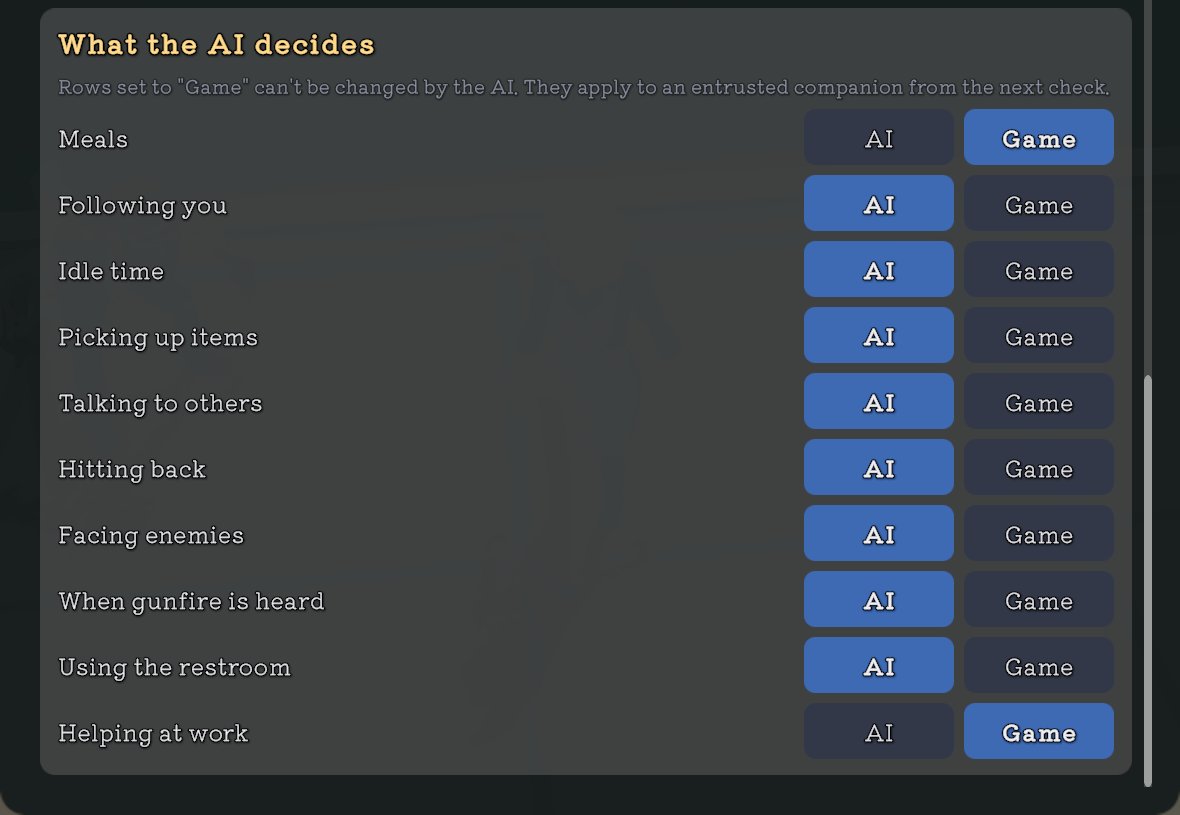
Your ally's daily life is split into 10 things, like meals, following you and idle time. For each one, you choose whether the AI decides or the game keeps its usual behavior.
Even for things you left to the AI, the game steps in for a moment when it's dangerous. For example, if your ally is badly hurt and gets hit, the game protects them (hitting back, or hiding if it's gunfire). If they're starving and haven't eaten, the game feeds them. Once things calm down, it goes back to the AI.
How it's meant to work
1. Open it from the title screen
On the title screen, choose AI Companion to open its settings.
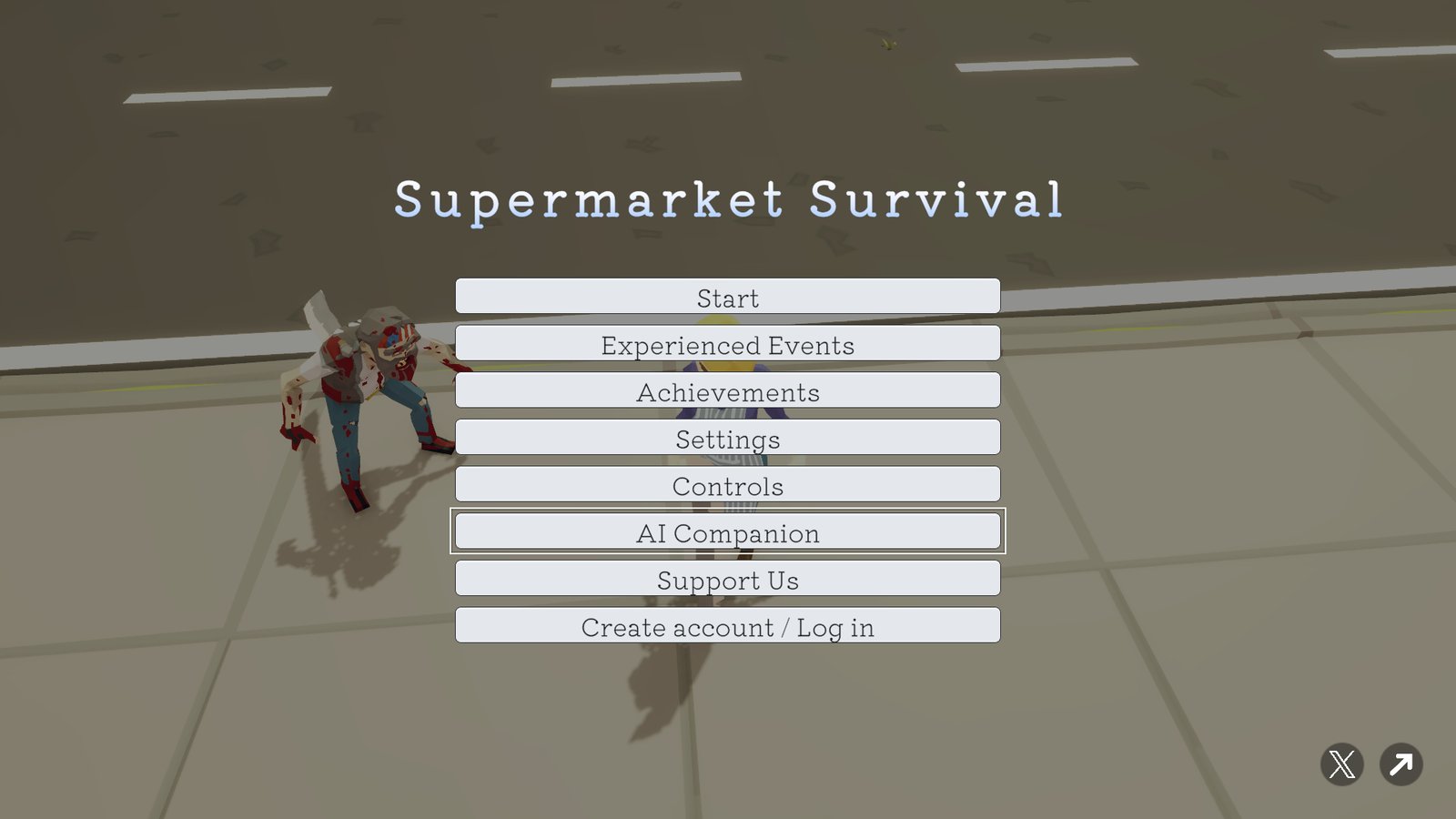
2. Turn it on and sign in with ChatGPT
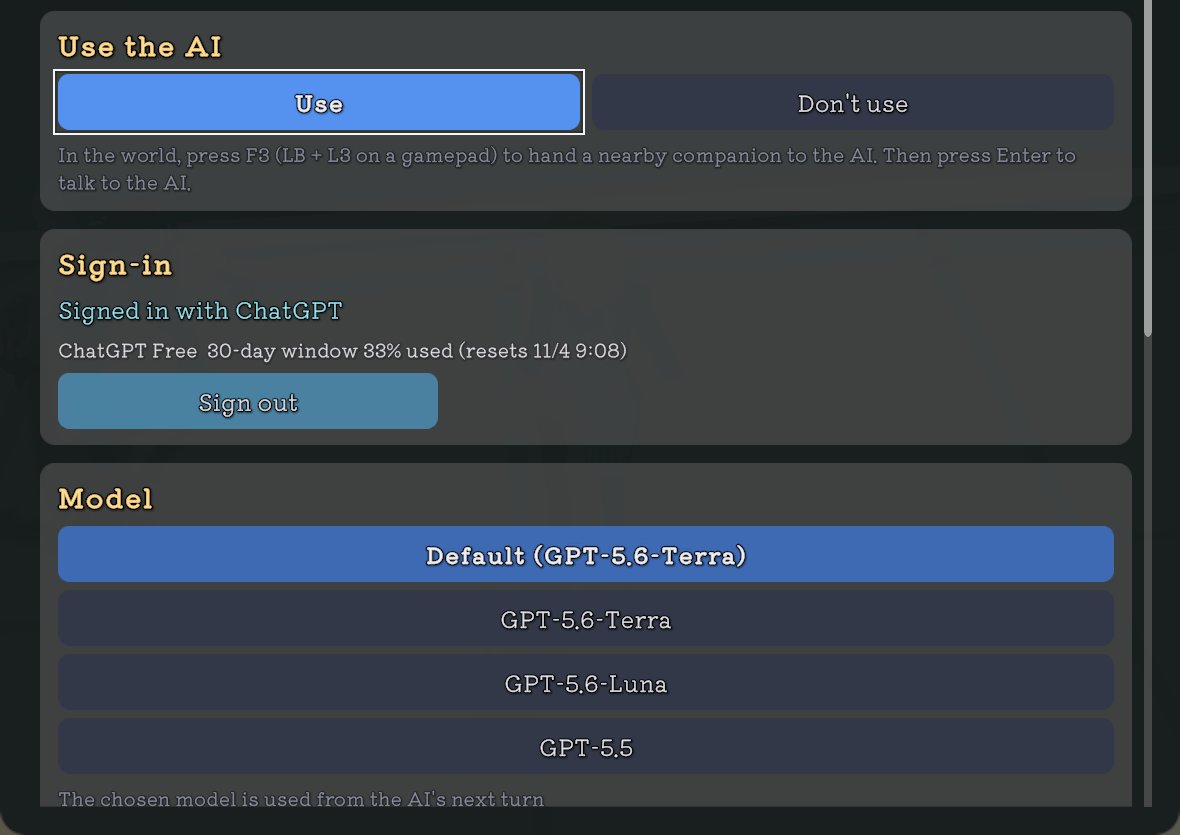
Under Use the AI, choose Use, then sign in with your ChatGPT account. Your browser opens only for this. It starts out set to Don't use, so if you don't want it, there's nothing to do.
You can also pick the model and how deeply it thinks. Deeper thinking is smarter but slower, and uses more of your plan's usage. It starts at Low (fast).
3. Choose what the AI decides
Set each of the 10 things to AI or Game. For anything set to Game, your ally behaves as usual, and the AI has no say.
4. Hand your ally over
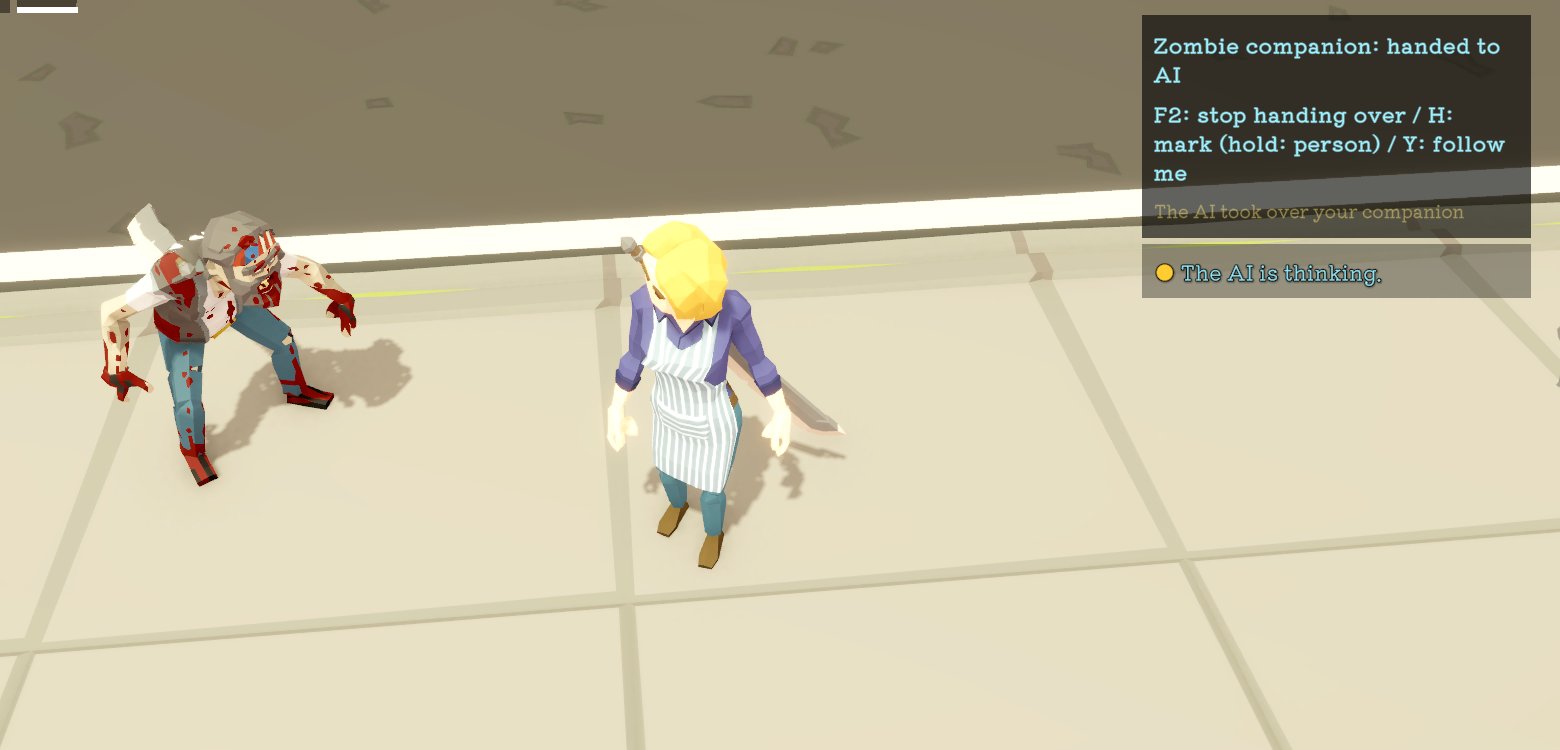
In the game, stand near your ally and press the hand-over key: F3 on a keyboard, or hold LB and click the left stick on a controller. If you're locked on to an ally, that's the ally you hand over.
If you don't have an ally yet, or none is nearby, the game tells you so. Nothing is sent to the AI, so none of your plan's usage is spent.
5. Talk to it
Press Enter on a keyboard to open the chat box. Type, press Enter to send, and the AI moves your ally and replies.
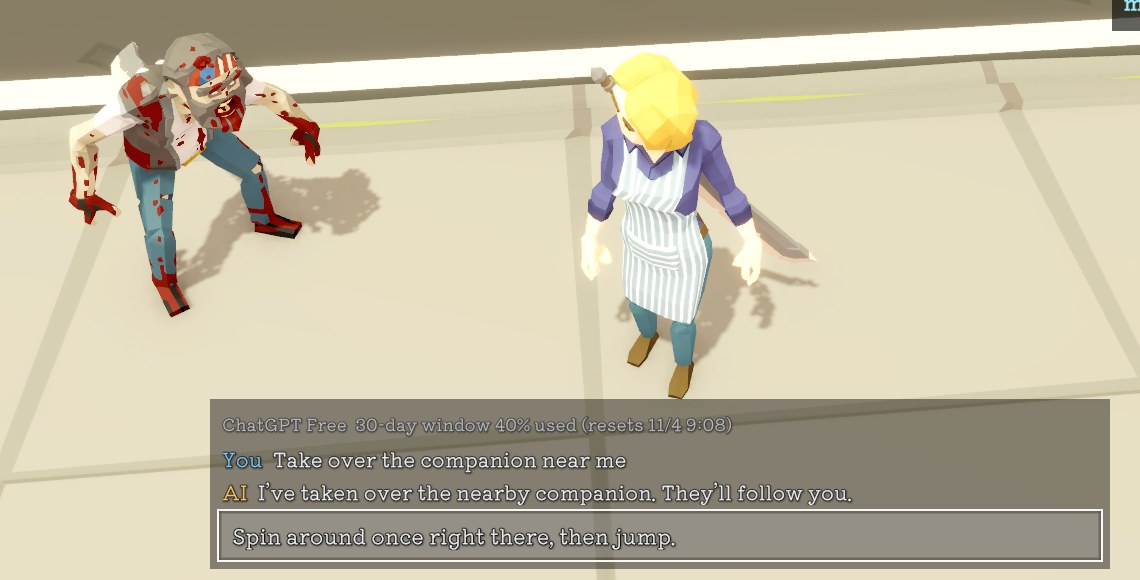
The game doesn't pause while you type, so pick a safe moment.
6. Point at places and people, or take your ally back
On a keyboard, you can also use the keys shown in the top-right box.
- H: puts a mark at your feet. Hold it to mark the person you're locked on to. Ask things like "go to the mark" or "fight the marked person," and the AI heads for the mark. Without a mark, you can point at whoever you're locked on to the same way.
- Y: stops what the AI asked your ally to do, and has your ally follow you as usual.
- F2: stops handing over, and gives your ally back to the game.
Pressing the hand-over key again also gives your ally back. That's how you do it on a controller.
What the AI sees
The AI only receives the following, as text:
- Your messages: what you type in the chat box. When you press the hand-over key, the game sends "take over the companion near me" for you.
- Your ally's state: what they're doing and why, health, hunger and thirst, how much food and drink they carry, where they're headed and how long it'll take, how far they are from you (and whether you're in a car or in the same building), which of the 10 things are set to AI or Game, and any marks you've placed.
- What your ally can see: the people and dropped items in your ally's view right now. Anyone behind a wall, too far away, or hidden in the dark isn't included.
- Notes from the game: things like "your ally got hit," "gunfire was heard," "your ally was left behind," or "your ally has nothing to do."
- Questions from the game: choices like "Hungry. Eat what you're carrying, or go buy something at a shop?"
Never sent: screenshots, audio, story dialogue or cutscene text, or any files on your PC or phone.
What it can't do
- It never moves your own character. It can only move the ally you handed over.
- It has no say in anything you set to Game.
- It can't open files on your PC or phone, run other programs, or browse the web.
- You can take your ally back at any time.
When the AI runs
The AI doesn't run all the time. The game only wakes it up when:
- you send a message in the chat box,
- you hand over an ally with the hand-over key,
- the game has a question about your ally (like when they're hungry),
- something important happens to your ally (they got hit, heard gunfire, got left behind, and so on),
- or Idle time is set to AI and your ally runs out of things to do.
The game doesn't call the AI on a timer, either. Things that keep happening, like getting hit or hearing gunfire, are passed along at most once every 15 seconds per kind.
That said, as the log above shows, when you leave your ally's daily life to the AI, the game's questions wake it up too, and that uses your plan's usage. If you want to use less, set things like Meals or Talking to others to Game in the settings, and those questions won't come.
Why only ChatGPT?
This feature has players sign in to the game with their own subscription account, and runs the AI on their plan. Whether it's ChatGPT or Claude, that needs permission from the company behind the AI. The difference is whether there's a way to get that permission.
ChatGPT (OpenAI): There's an official way for other developers' apps to use a player's ChatGPT plan, called Sign in with ChatGPT. OpenAI's docs say:
ChatGPT plan usage is available to open-source projects, personal projects that run locally, and selected private apps.
(Source: Sign in with ChatGPT)
This game isn't open source, so it falls under "selected private apps." It needs to apply to OpenAI and be selected (see "Where it's at now" below).
Claude (Anthropic): It isn't allowed without prior approval. Claude's developer docs say:
Unless previously approved, Anthropic does not allow third party developers to offer claude.ai login or rate limits for their products, including agents built on the Claude Agent SDK.
(Source: Agent SDK overview)
But I couldn't find an official way like ChatGPT's, or anywhere to apply for it.
So the only AI this feature uses is ChatGPT, where there's a way to get permission.
Who pays
- The game is free.
- The AI runs on your own ChatGPT plan. It counts toward your plan's usage, but there's no API key to enter and nothing to pay me. I don't make any money from your AI use.
- Your usage is shown in the settings and at the top of the chat box (see the pictures above).
- It starts out off. If you don't sign in, you can still play the whole game as usual. Your allies just behave as usual.
- About donations: for people who want to support the game, a Support Us button shows up on the title screen after you've played for an hour or more. It has nothing to do with the AI feature, and you can play everything without donating.
How it works (for developers)
Here's the plan for the shipped game:
- Sign-in: OpenAI's Sign in with ChatGPT. The game opens the sign-in page in the system browser (OAuth 2.0 with PKCE), and once you've signed in, the browser hands back to the game through a local loopback address on your PC. Tokens stay only on the player's device.
- AI requests: The game calls OpenAI's Responses API directly. There's no server of mine in between.
- Game actions: Passed to the model as function tools, the four tools listed below.
- Wake-ups: Event-driven. No periodic polling.
- Validation: The game checks every tool call. Malformed, out-of-range, or not-possible-right-now requests come back with a reason code (the "couldn't move on the first step" in the log above is one), and the AI reads it and tries again.
- Control sequences: Up to 20 lines, 30 seconds in total.
- Boundaries: The AI can only touch the ally you handed over, and the settings you left to the AI for that ally. It can't touch anything set to Game, your own character, or anything outside the game (files, other programs, the web). The player can take the ally back at any time.
- Data: Text (JSON) only. No screenshots, audio or files.
- Settings: Off by default, and stored only on the player's device. You can choose the model and the reasoning effort, which starts at low.
The four tools:
look: your ally's state and what they can see (the text under "What can you see right now?" above)do: requests for your ally (fixed requests, plus combinations of player controls)set: switches the things the player left to the AIanswer: answers the game's questions by picking one of the choices
The actual exchange
Here's the actual text the AI and the game passed back and forth in "What happened when I tried it" above.
When asked to "crouch and walk straight for 4 seconds, then face me and jump twice," the AI sent this sequence through do. Each line is one control, and sec is how long to hold it:
{"do": "steps", "steps": [
  {"sec": 0.2, "turn": 90},
  {"sec": 4, "move": "forward", "crouch": true},
  {"sec": 2, "face": "player", "jump": 2}
]}
And this is what the AI got back from look for "What can you see right now?" (some parts left out). Everyone in view gets a short-lived label (tag), which the AI uses to point at people in do:
{
  "doing": "waiting", "why": "player",
  "hp": "ok", "food": "ok", "drink": "ok",
  "held": {"food": 0, "drink": 6},
  "sees": {
    "player": {"dist": "mid", "dir": "front"},
    "people": [
      {"tag": "s9d64y", "kind": "zombie", "dist": "mid", "dir": "back-right", "move": "away"},
      {"tag": "3rpduy", "kind": "zombie", "dist": "mid", "dir": "front-right", "move": "passing"},
      {"tag": "7prmjq", "kind": "zombie", "dist": "far", "dir": "back-right", "move": "closer"},
      {"tag": "32whkb", "kind": "zombie", "dist": "far", "dir": "back-left", "move": "away"}
    ]
  }
}
Where it's at now
I'm testing it on my own PC with my own ChatGPT account. The way in from the title screen, the settings screen, the hand-over key, the chat box and signing in from inside the game all work now, along with handing the same ally back to the AI when you continue from a save, handling a connection that doesn't work, and the release build. Every picture in this post was taken in that build.
To ship ChatGPT sign-in in the game for everyone, I need OpenAI's approval. Once it's approved, it goes into the PC version (Steam) first, as described here, and then I'd like to bring it to iOS and Android too.
— Ken Okabayashi